🎓 Power BI & Power Platform Certifications: An Honest Guide
I’ll start with full transparency: I don’t hold any Power BI or Power Platform certifications yet.
I’m learning. I’m preparing. And I’m doing it publicly because I think the journey is just as useful to write about as the destination.
After publishing my Tableau certifications guide — where I broke down all five Salesforce Certified Tableau credentials — several people asked me to do the same for Microsoft’s certification ecosystem. What I found when I started researching is that the Microsoft landscape is significantly larger, more complex, and honestly more confusing than Tableau’s. There are certifications at multiple levels across multiple products, and the naming conventions have evolved enough times to make things genuinely difficult to navigate.
This post is my attempt to make sense of it — for myself as much as for you.
🗺️ First: Understanding the Microsoft Certification Framework
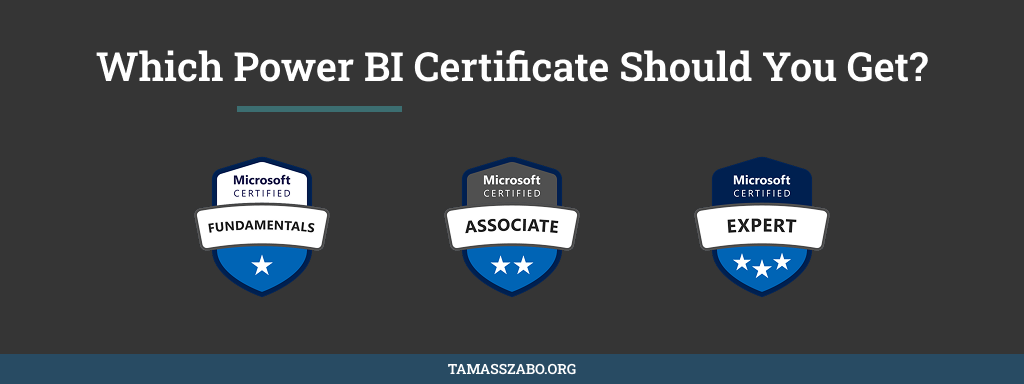
Unlike Tableau’s five clean credentials, Microsoft has a three-tier structure that applies across all their products:
Fundamentals — entry-level, no prerequisites, designed to prove basic product knowledge. These are the “I’ve used this tool and understand what it does” certifications.
Associate — role-based, requires hands-on experience, tests practical implementation skills. This is where most working analysts should be aiming.
Expert — advanced, often requires an Associate credential first, tests solution architecture and enterprise-level design decisions.
Within the Power BI and Power Platform space specifically, there are currently five certifications worth knowing about.
The Five Certifications
Microsoft Certified: Power Platform Fundamentals
Exam: PL-900
$99
Renew annually (free)
Format
40–60 questions · 60 minutes · Multiple choice · Pass: 700/1000
Prerequisites
None. Basic familiarity with Microsoft 365 recommended.
Best for
Anyone new to the Power Platform wanting a foundational credential
Microsoft Certified: Power BI Data Analyst Associate
Exam: PL-300
$165
Renew annually (free)
Format
40–60 questions · 100 minutes · Multiple choice + hands-on · Pass: 700/1000
Prerequisites
No formal prerequisites. Practical Power BI Desktop and Service experience strongly recommended.
Best for
Practising data analysts who want the credential with the most employer recognition in the BI space
Microsoft Certified: Power Platform Functional Consultant Associate
Exam: PL-200
$165
Renew annually (free)
Format
Scenario-based questions · Pass: 700/1000 · Covers Power Apps, Power Automate, Dataverse, Power BI
Prerequisites
No formal prerequisites. Hands-on experience across the full Power Platform is essential.
Best for
Consultants who need to bridge business requirements and technical implementation across the full Microsoft ecosystem
Microsoft Certified: Power Platform Developer Associate
Exam: PL-400
$165
Renew annually (free)
Format
Technical · Covers custom connectors, Dataverse extensions, Power Apps component framework
Prerequisites
Development experience with JavaScript, TypeScript, C#, or .NET recommended
Best for
Developers building custom Power Platform solutions — not a typical target for analysts
Microsoft Certified: Power Platform Solution Architect Expert
Exam: PL-600
$165
Renew annually (free)
Format
Expert level · Architecture decisions, governance, enterprise integration
Prerequisites
Functional Consultant Associate (PL-200) or Developer Associate (PL-400) required first
Best for
Senior consultants leading enterprise-wide Power Platform implementations
💡 One Thing That’s Better Than Tableau’s System: Free Annual Renewal
Before I get into which certification to target, there’s something Microsoft does significantly better than Salesforce/Tableau that I want to highlight: renewal is free.
All Microsoft role-based certifications require annual renewal — but instead of paying $165 again, you complete a free online assessment on Microsoft Learn. It takes 30–45 minutes and keeps your certification current. No exam centre, no fee, no full retake.
Compare that to Tableau’s $200 retake every two years and this is a meaningful difference, especially if you hold multiple Microsoft credentials simultaneously.
🎯 Which One Should You Target First?
If you’re a data analyst focused on dashboards and reporting: go straight for PL-300 (Power BI Data Analyst Associate). It’s the most recognised credential in the BI space, it maps directly to daily analytical work, and it’s the one employers and clients specifically search for. This is where I’m starting.
If you want to position yourself as a consultant across the full Power Platform: follow PL-300 with PL-200 (Functional Consultant Associate). It covers Power Apps, Power Automate, Dataverse, and Power BI together — giving you breadth across the ecosystem. This is my planned second step.
If you’re brand new to the platform: start with PL-900 (Fundamentals) to build confidence and understand the ecosystem before committing to an Associate-level exam.
Skip PL-400 and PL-600 unless your role involves custom development or enterprise architecture — these are niche credentials for specific technical roles.
🧠 Why I’m Targeting PL-300 First — Then PL-200
This is a deliberate two-step plan worth explaining.
Step 1: PL-300 (Power BI Data Analyst Associate)
Starting with PL-300 makes sense for where I am right now. I’m actively using Power BI, building dashboards, and getting hands-on with DAX and Power Query. The exam maps directly to that daily work — data preparation, modelling, visualisation, and publishing to the service. It consolidates what I’m learning into a formal, employer-recognised credential.
It also gives me a structured reason to go deep on the parts of Power BI I haven’t fully explored yet. Row-level security, semantic model optimisation, scheduled refresh configuration — these are things I’ve touched but not mastered. Exam prep forces that depth.
Step 2: PL-200 (Power Platform Functional Consultant Associate)
Once PL-300 is done, PL-200 becomes the natural next step for consulting positioning. It expands beyond the BI layer into the full Power Platform — Power Apps, Power Automate, Dataverse — which is increasingly what enterprise clients want to discuss alongside dashboards. A consultant who understands how Power BI connects to the rest of the Microsoft ecosystem is significantly more valuable than one who only knows the visualisation layer.
The PL-300 gives me the data analyst credential. The PL-200 gives me the consultant credential. Together they cover both angles of the work I want to do.
If you’re starting from scratch without a BI background, I’d recommend the same order. PL-300 first to build solid Power BI fundamentals, then PL-200 to broaden into the wider platform.
⚙️ How to Register
All Microsoft certifications are administered through Pearson VUE or at a Microsoft Test Centre:
- Go to learn.microsoft.com/credentials and find your target certification
- Click “Schedule exam” — this takes you to Pearson VUE
- Create or log in with a personal Microsoft account — not a work or school account. If you register with a work account and leave the company, your exam records become unrecoverable
- Choose between online proctored or a physical test centre
- Pay the exam fee and complete identity verification
My advice on online vs. physical: book the physical test centre. From what I’ve heard from colleagues, the online proctoring software can be temperamental — connection issues, environment checks that fail unexpectedly. The in-person experience removes that variable entirely. Given the $165 investment and weeks of preparation, it’s worth the trip.
💡 Check if your employer will cover it
At $165 per exam, Microsoft certifications are a reasonable L&D request for most companies. Ask before paying yourself. If your organisation is a Microsoft Partner, there may be exam vouchers available at no cost — worth investigating before you spend anything.
📚 How I’m Preparing for PL-300
I haven’t sat the exam yet, so I can’t give you a post-mortem. But here’s what my preparation looks like right now, with PL-200 planned as the follow-up once PL-300 is done.
Microsoft Learn first. The official PL-200 learning path on Microsoft Learn is free, structured, and built directly from the exam objectives. Unlike third-party courses that guess at content, this is written by the people who wrote the exam. I’m working through it module by module.
A developer environment for hands-on practice. The Power Apps Developer Plan gives you a free personal environment with full premium features. This is essential — the PL-200 is a practical exam. You cannot pass it by reading alone. I’m building small end-to-end solutions to internalise how the platform fits together.
Practice tests in the final weeks. The Microsoft Practice Assessment (free, on Learn) gives you a feel for the question style. I’ll supplement with a paid practice test closer to the exam date.
I’ll write a follow-up post once I’ve sat the exam — with an honest account of what actually appeared, what I underestimated, and whether the preparation approach worked.
🔑 The Honest Takeaway
The Microsoft Power Platform certification ecosystem is broader and more complex than Tableau’s. That’s both a challenge and an opportunity — more credentials means more ways to differentiate yourself, but it also means it’s easier to end up studying for the wrong exam.
My simple framework: if you’re an analyst, start with PL-300. If you’re a consultant, start with PL-200. If you’re brand new, start with PL-900. And regardless of which you choose — get your hands dirty in the platform before you open a practice test. This is not a theory exam.
I’ll be back with the post-exam report when I have one.
Also preparing for a Power Platform exam?
Drop a comment below — I'd love to hear which certification you're targeting and how you're approaching it.
See All Posts →