🎓 The Complete Guide to Tableau Certifications
I hold the Tableau Desktop Foundations certification — what was called the Desktop Specialist when I took it. It’s on my CV, it’s on my LinkedIn, and it has come up in every serious client conversation I’ve had.
I want to be upfront about something before we go further: I only hold the foundational certification, and that was a deliberate choice. My honest opinion is that it’s the one most analysts actually need, and I’ll explain exactly why later in this post. The higher-tier certifications are real credentials worth having in specific situations — but they come with a two-year expiry that I find genuinely frustrating, and I’ll be direct about that too.
When I was preparing for my exam, I found that most guides online were either outdated, vague about the actual exam experience, or written by people who’d clearly never sat the test themselves.
This is the guide I wish I’d had.
What’s Changed: Tableau is Now Salesforce
Before we get into the certifications themselves, one important context update: Tableau is now fully part of Salesforce. The certifications have been rebranded accordingly — they’re now called Salesforce Certified Tableau credentials, administered through Trailhead Academy rather than the old Tableau certification portal.
If you’ve seen older guides referring to “Tableau Desktop Certified Associate” or “Tableau Desktop Qualified Associate,” those names no longer exist. The current programme has five certifications, cleanly tiered by role and experience level.
The Five Current Certifications
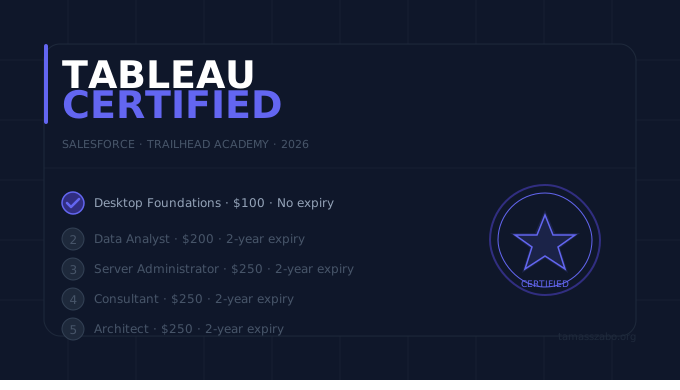
Salesforce Certified Tableau Desktop Foundations
Exam code: Analytics-101
$100
Does not expire
Format
45 questions · 60 minutes · Multiple choice
Prerequisites
None. Familiarity with Tableau Desktop recommended.
Best for
Anyone new to Tableau wanting to formalise foundational skills
Salesforce Certified Tableau Data Analyst
Exam code: Analytics-DA-201
$200
Retake: $100 · Expires after 2 years
Format
60 questions + up to 5 unscored · Multiple choice + hands-on · Pass: 65%
Prerequisites
No formal prerequisites. Knowledge of Tableau Desktop, Prep, and Server or Cloud recommended.
Best for
Practising analysts who want the credential that carries the most weight with employers
Salesforce Certified Tableau Server Administrator
Exam code: Analytics-Admn-201
$250
Expires after 2 years
Format
80 questions · 90 minutes · Multiple choice · Pass: 75%
Prerequisites
6+ months working with Tableau Server recommended
Best for
IT administrators and system consultants managing Tableau Server deployments
Salesforce Certified Tableau Consultant
Exam code: Analytics-Con-301
$250
Expires after 2 years
Format
40–45 questions + hands-on lab tasks · 1 year experience required
Prerequisites
1+ year with Tableau Desktop, Cloud, Bridge, Prep, and Server
Best for
Consultants designing and implementing analytics solutions for clients
Salesforce Certified Tableau Architect
Exam code: Analytics-Arch-201
$250
Expires after 2 years
Format
Advanced — leads and manages Tableau Server infrastructure at enterprise scale
Prerequisites
Significant enterprise Tableau Server experience required
Best for
Senior platform architects managing large-scale enterprise deployments
Which One Should You Get?
This is the question nobody gives a straight answer to. Here’s mine.
If you’re a practising analyst: go straight for the Tableau Data Analyst (DA-201). It’s the credential that has the most name recognition with employers and clients, it tests real analytical depth rather than just product familiarity, and passing it signals genuine competence. The Desktop Foundations is a stepping stone — useful if you’re genuinely new to Tableau, but not something that carries weight on a senior CV on its own.
If you’re just starting out with Tableau: start with Desktop Foundations. At $100 with no expiry, the risk-reward is excellent. Use it to build confidence, then move to Data Analyst once you have six months of hands-on experience behind you.
If you work in IT or platform administration: the Server Administrator certification is the obvious choice. Analysts don’t need it.
If you’re consulting or leading implementations: the Consultant certification is directly relevant and will differentiate you from analysts who only know the front-end.
The Architect is a niche credential for enterprise platform specialists. Most analysts will never need it.
How to Prepare: What Actually Worked For Me
Having been through the certification process myself, here’s what I’d tell anyone preparing today.
The two resources I actually used
I prepared with two main sources and nothing else.
The first was a Udemy course specifically built for this exam: Tableau Desktop Specialist Certification Prep. It follows the official exam guide closely, includes full-length practice tests, and the instructor is responsive to questions. I found it well-structured and genuinely useful — not just for passing the exam, but for filling in gaps in my practical knowledge. At Udemy prices (rarely more than €15 on sale), the value-to-cost ratio is excellent.
The second was Tableau Tim’s dedicated preparation video on YouTube:
Tableau Tim's certification prep — free, thorough, and directly relevant to the exam.
Between these two resources and hands-on practice in Tableau Public, I felt well-prepared on exam day. I didn’t use anything else.
Start with the official exam guide — before anything else
Tableau publishes a free PDF exam prep guide for every certification through Trailhead Academy. It outlines every topic covered, the weighting of each section, and sample questions. Read it before you open any course. It is more useful than any paid resource for understanding what the exam actually tests.
Build on Tableau Public
The hands-on questions in these exams test whether you can actually do things in Tableau — not just whether you know what a calculated field is. There is no substitute for having built dozens of real vizzes. Makeover Monday is the most efficient way to accumulate that experience.
Where to sit the exam: book a physical location
This is a practical tip I wish someone had given me earlier. My colleagues at Starschema who sat the exam online ran into technical issues — proctoring software problems, connection drops, screen-sharing conflicts. It cost them time and stress they didn’t need on exam day.
I booked a physical test centre through Pearson VUE instead, and the experience was completely smooth. You turn up, sit down, and focus entirely on the exam. For something you’ve spent weeks preparing for, that peace of mind is worth the slight inconvenience of travelling to a centre.
Who pays for it: always ask your employer first
I paid for my exam out of my own pocket at Starschema — but I’d encourage everyone to ask their employer before assuming they have to. Many companies, especially larger ones, have learning and development budgets specifically for certification costs. At €100 for the Desktop Foundations exam it’s not a large ask, and a lot of managers will say yes simply because the request signals initiative.
The worst they can say is no, at which point you’re exactly where you started. Ask first.
How to Register
All Tableau certifications are now administered through Trailhead Academy:
- Go to trailheadacademy.salesforce.com
- Create a free Trailhead account (or log in with an existing Salesforce account)
- Search for your target certification and click “Register”
- Select a date and time — exams are remote-proctored, so you can sit them from home
- Pay the exam fee and complete identity verification
Results are immediate. If you pass, your badge appears in your Trailhead profile within 24 hours and can be shared directly to LinkedIn.
💡 One practical tip on retakes
If you fail, the retake fee is $100 for the Data Analyst certification — half the original price. There's a mandatory waiting period before retaking, so use that time to revisit the specific domains where you scored lowest. The score report tells you exactly where the gaps are.
Is It Worth It?
Honestly — yes for the Desktop Foundations, and it depends for the rest.
My case for starting with Desktop Foundations
At $100 with no expiry date, the Desktop Foundations certification has the best risk-reward ratio of any credential in this list. You pay once, you earn it once, and it sits on your CV and LinkedIn profile indefinitely. No renewal fees, no mandatory retakes every two years, no administrative overhead.
That’s why I hold this one and not the others — and it’s why I think it’s the right starting point for every analyst, regardless of experience level. If you have 8 years of Tableau experience like I do, the exam itself isn’t hard. But the credential is a clean, permanent signal of verified competence that no amount of “8 years of Tableau experience” bullet points on a CV can fully replace.
My honest opinion on the two-year expiry
I’ll be direct: I find the two-year expiry on the advanced certifications genuinely frustrating. You pay $200–$250, invest weeks preparing, pass the exam — and then two years later you have to pay again and go through the process again. For tools that evolve slowly at the core level, this feels less like quality assurance and more like a revenue mechanism.
If your employer is paying for it and your role specifically demands the credential, the Data Analyst or Consultant certification is absolutely worth pursuing. But if you’re self-funding, the combination of the permanent Desktop Foundations certification plus a strong Tableau Public portfolio does the same credibility work at a fraction of the ongoing cost.
What the credential actually does
The certification itself won’t land you a job or a client. What it does is remove a specific objection early in the conversation. When a stakeholder or hiring manager sees “Salesforce Certified Tableau Desktop Foundations” on your CV, they don’t have to take your word for it that you know the tool. The credential does that work for you.
For consultants specifically, it’s a trust signal that costs $100 once and never expires. The return on that investment compounds over every engagement where it appears on your proposal.
The most important thing I’d say, though, is this: the certification validates skills you should already have. Build the skills first — through real projects, Tableau Public, and Makeover Monday. Then take the exam to formalise what you already know. In that order, it’s genuinely worth it.
Questions about the certification process?
I've been through it — feel free to drop a comment below or reach out directly.
Get in Touch →